Release journal

Every version.
What changed.

Version

1.1.2

In internal testing.

Fixed

  • Podcast feeds check for newer episodes sooner, even when a feed allows a long cache lifetime.
  • Opening Latest checks feeds before loading saved audio, so a slow audio connection does not delay new episodes.
  • Android lock-screen and notification controls stay connected when background tasks start or stop, and reconnect after a media-session interruption.
Version

1.1.1

New

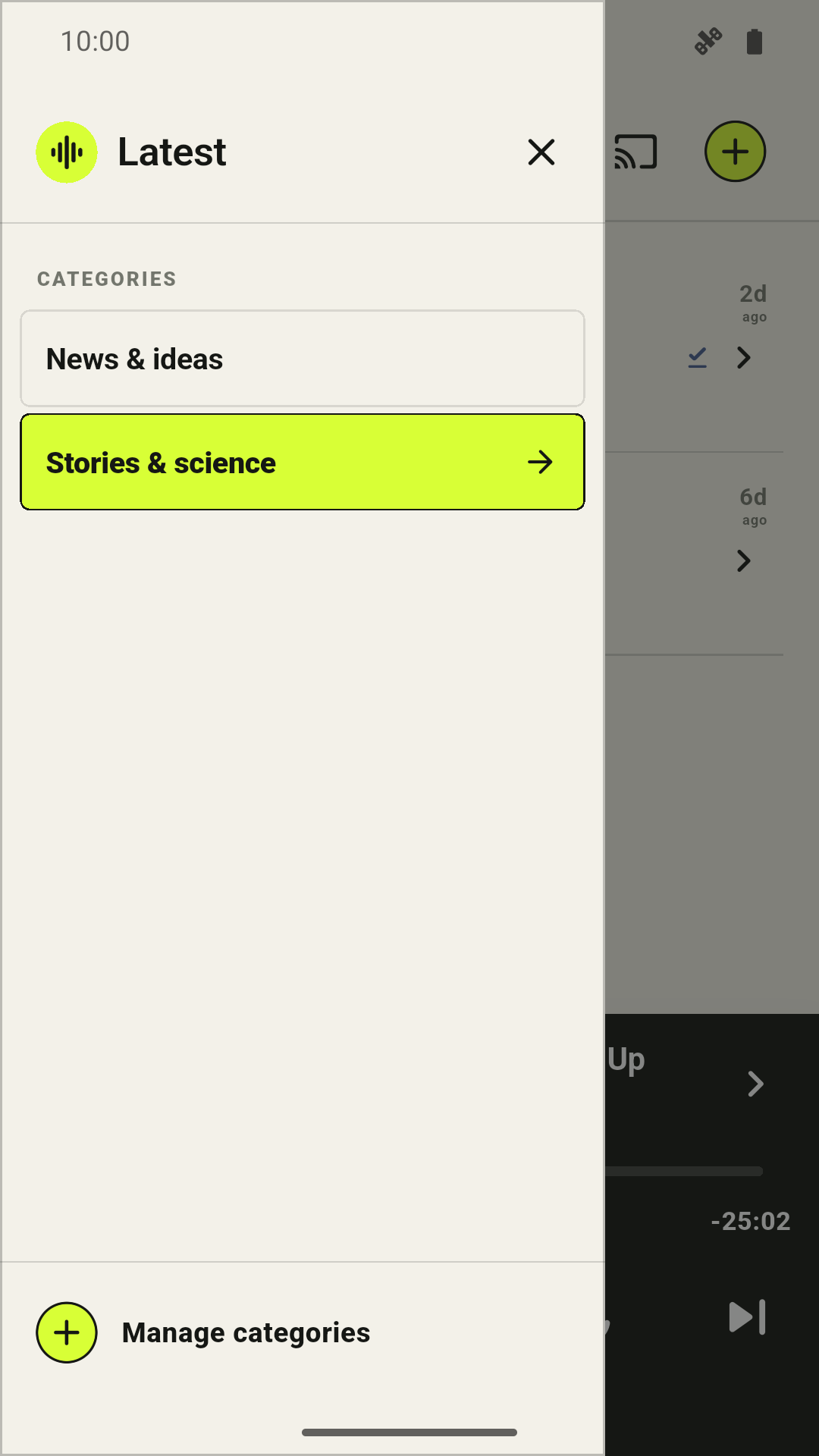
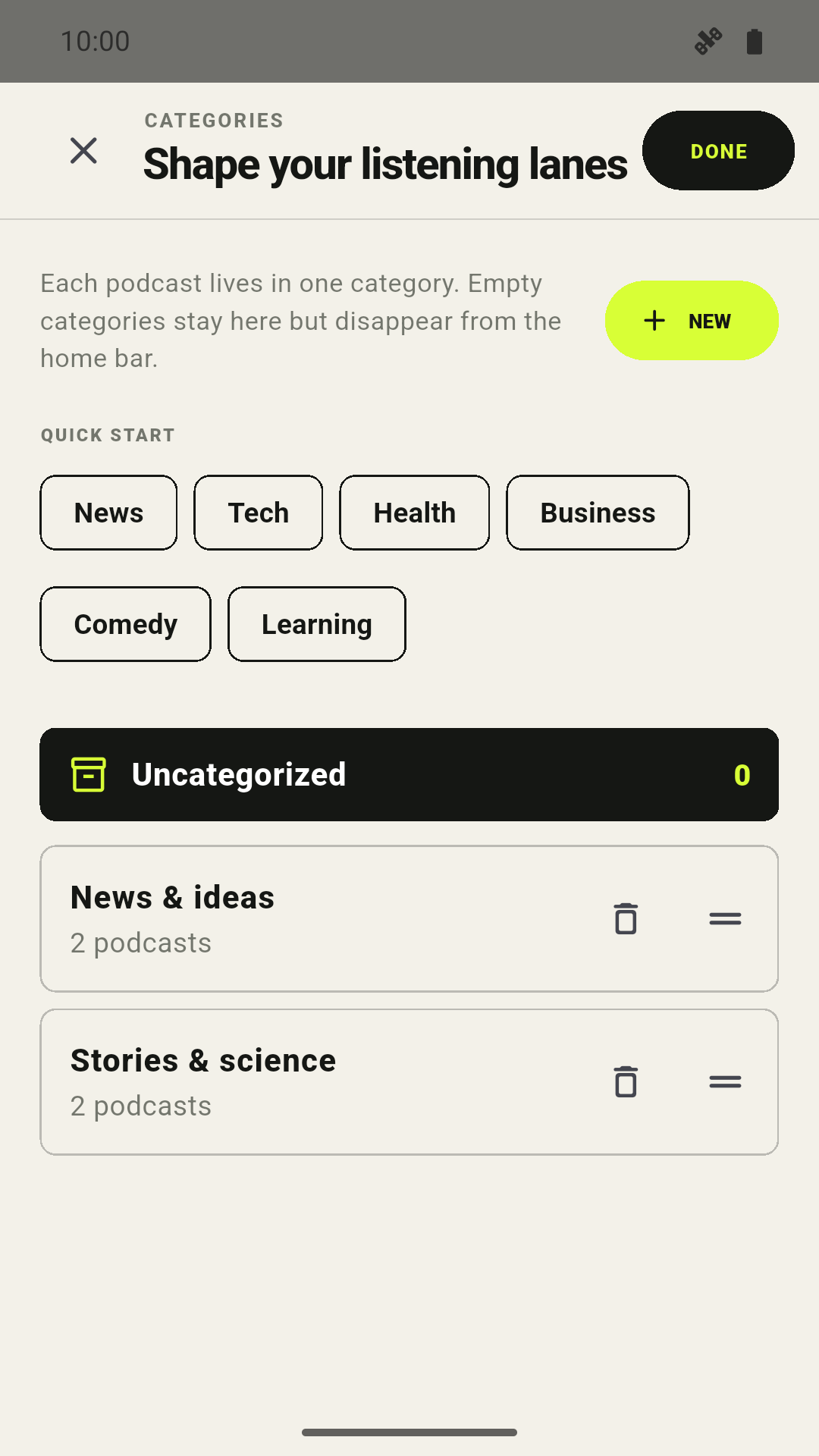
  • Group podcasts into categories for different topics, moods, or parts of your day.
  • Switch categories from the side menu and return to each category's remembered episode.
  • Create, rename, reorder, and remove categories, and keep them in your OPML backups.
  • Podcast feeds refresh in the background, so newer episodes can be ready when you reopen Latest.
Latest podcast category menu
Switch your listening category.
Create and reorder podcast categories in Latest
Make your own podcast groups.

Improved

  • Choose podcasts for a category in a full-screen editor with more room to browse your shows.
  • Name or rename a category in a separate dialog, so the keyboard stays out of the podcast list.
  • See how many podcasts you have selected before saving your category.
  • Downloads keep the episodes remembered by your categories ready to resume.
  • The app fits newer Android screens better, and notification artwork uses less memory.

Fixed

  • Cached episodes keep their listening progress and downloads when feeds refresh or change address.
  • Existing saved episodes migrate correctly when you reopen the app after updating.

Version

1.0.4

Improved

  • Followed podcasts and artwork appear sooner after reopening Latest and refresh with less data.
  • Episode-list times now reflect your selected playback speed.
  • The mini player's speed and transport controls are larger and easier to tap.
  • OPML backups can be restored through more Android file pickers.

Fixed

  • Android media controls reconnect when Latest returns from the background.
  • Starting playback no longer crashes when its Android notification appears.

Version

1.0.3

Improved

  • The mini player gives the episode title, show name, timeline, and playback controls more room.
  • Cast now sits in the top bar, while the Add button has a clear outline.
  • Playback controls show a 15-second rewind and 30-second skip forward.
  • A new waveform icon makes Latest easier to spot on your home screen.

Version

1.0.2

Improved

  • The mini player's elapsed and total times now reflect your selected playback speed.

Fixed

  • Android notification, lock-screen, and headset controls keep working after background refreshes and reopening the app.

Version

1.0.1

New

  • Back up followed podcasts to an OPML file and restore them later.
  • Send playback to compatible TVs and speakers with Google Cast.
  • Download the latest episode from a show for offline listening.
  • Use podcast chapters to jump between sections of an episode.
  • Control playback speed and keep the setting between sessions.

Improved

  • Listening progress now saves more reliably and stays tied to the correct episode.
  • The mini player has a seekable timeline, larger controls, and clearer time labels.
  • Search results load in a cleaner order, handle large feeds, and show which podcasts you follow.
  • Episode pages now preserve descriptions, links, chapters, and show details.
  • Downloaded, playing, and completed episodes are easier to tell apart at a glance.

Fixed

  • Playback can recover from a stalled stream instead of stopping without explanation.
  • Saved position returns after restarting the app.
  • Next, seek, and Cast controls remain available when playback moves between devices or episodes.
  • Feed dates with named or numeric time zones sort correctly.
  • Startup failures now show a useful recovery path instead of a blank screen.

Version

1.0.0

New

  • Follow podcasts and keep only the newest episode from each show in the main queue.
  • Search for podcasts or add any public RSS feed directly.
  • Play audio in the background with lock-screen and notification controls.
  • Resume unfinished episodes from the saved listening position.

The first cut

This release moved Latest into its Android app foundation while keeping the original rule intact: one show, one episode, always the latest.